Add a wishlist button to the product collection
To enable this feature, you need to go to XB Wishlist app > Features > enable Collection Wishlist Button.
Currently, there are 3 ways to add the wishlist button to the collection:
- Automatic integration: We have an automatic recognition mechanism for up to 100+ popular themes today. However, during the editing process, your theme may differ from the original theme we support. Therefore, you can contact [email protected] for support or follow the 2 alternative methods below.
- Using CSS selector
- Custom code
2. Using CSS selector
You can choose how to display the wishlist page to your customers. There are two options available:
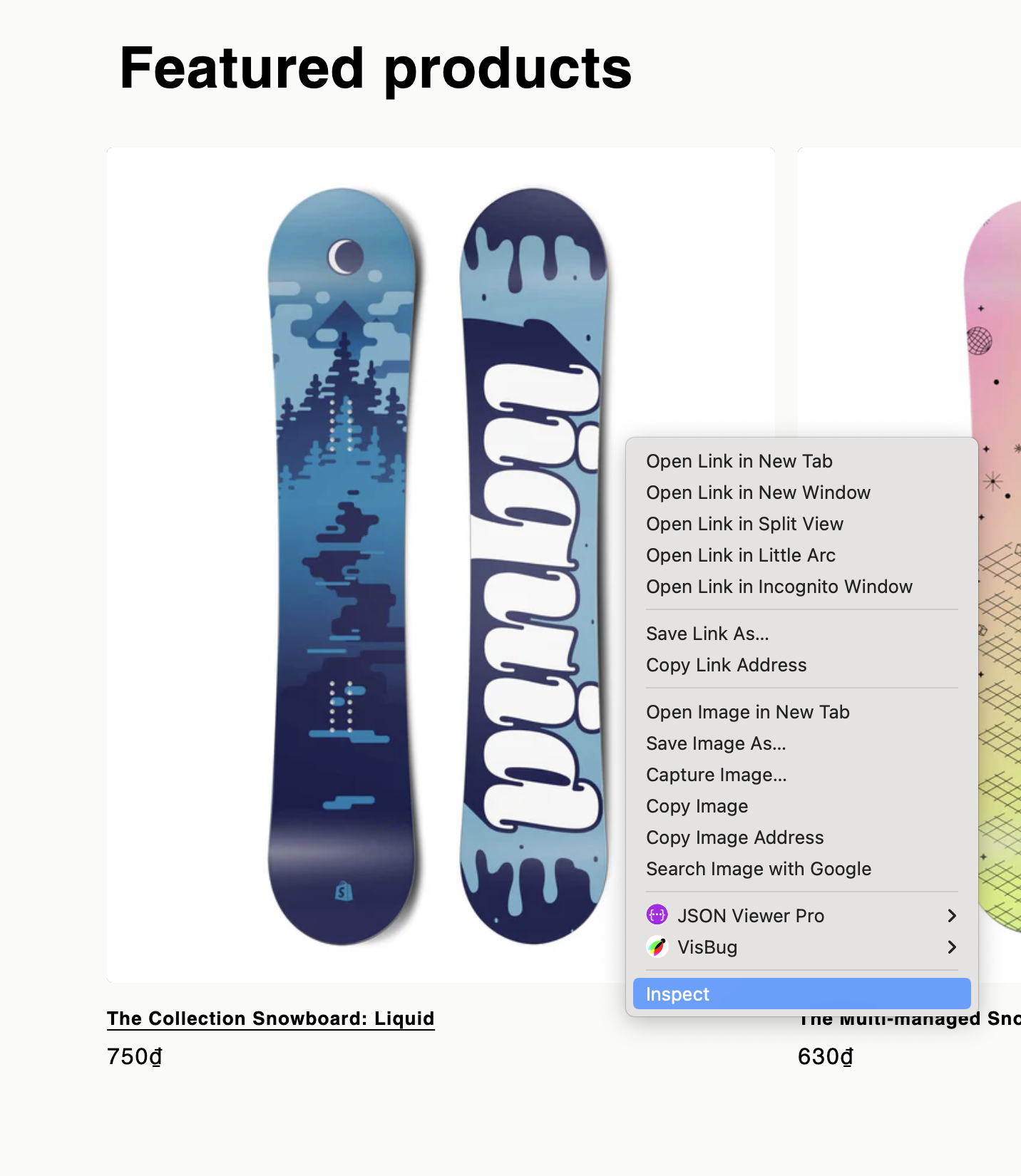
- Choose a product card
- Right click to your product card and choose Inspect
-
Product link selector
The product link is defined by a CSS selector, which points to an anchor element with a product page href. We recommend to be as specific as possible with this selector to avoid injecting the button in unwanted places. We often use a selector with a pattern match to reference product links.
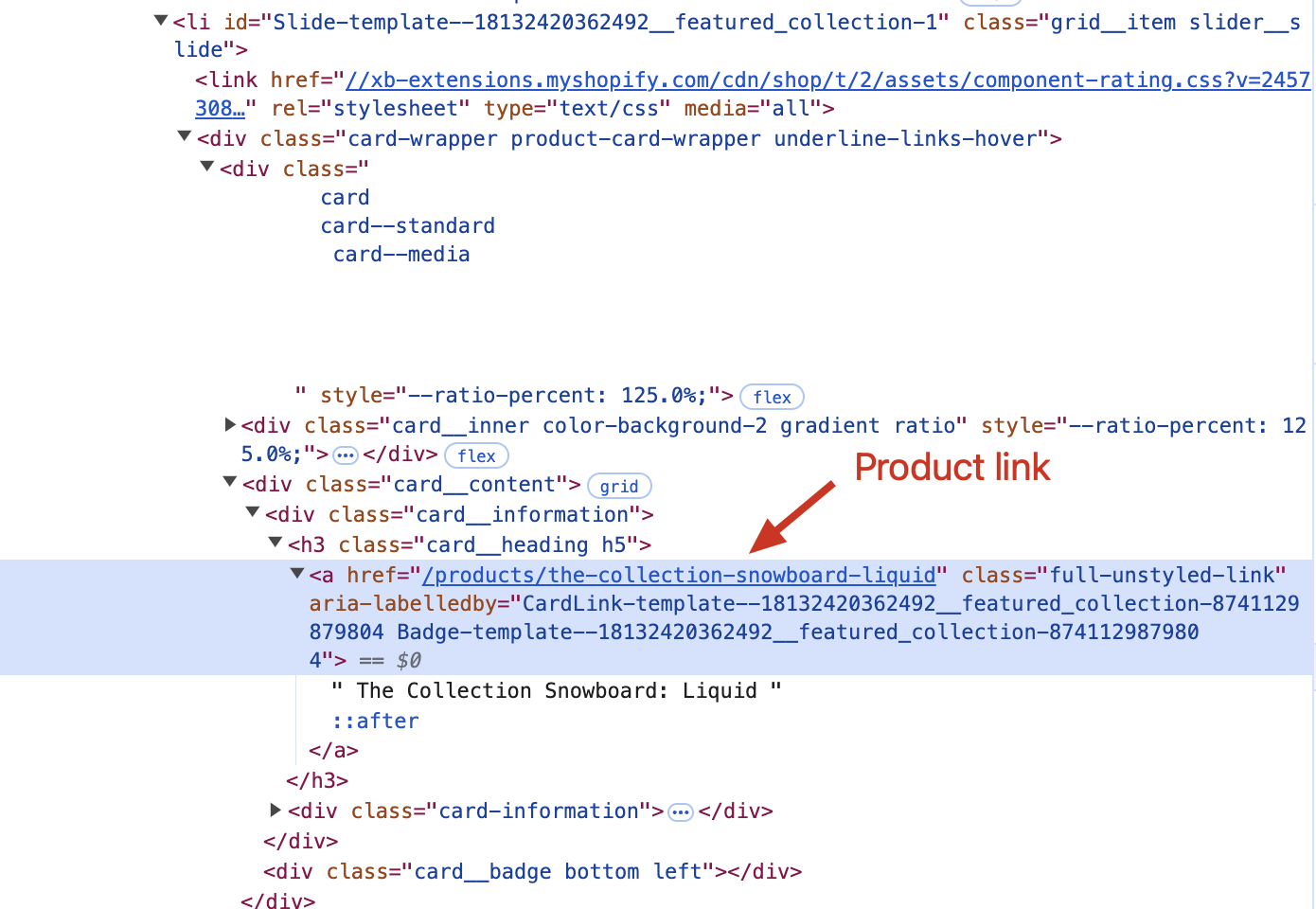
Result:
.card__heading > .full-unstyled-link[href*="/products/"]
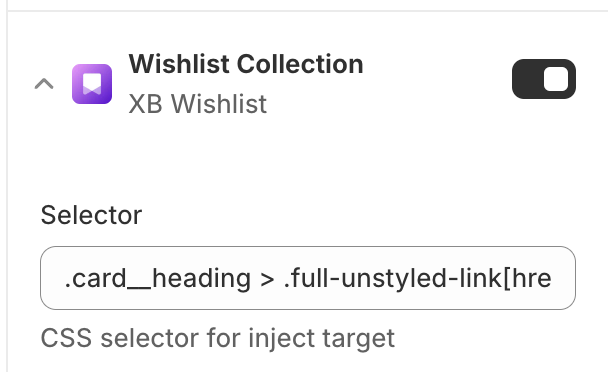
- Paste it to the app
3. Custom code
-
Go to edit code of theme
-
Edit
snippets/card-product.liquidWe provide you with 2 buttons: add wishlist button, remove wishlist button
-
Add wishlist button includes the attributes:
class="xb-wishlist__add", xb-product-id='{{ product.id }}', xb-product-title='{{ product.title }}', xb-product-variant="{{ product.selected_or_first_available_variant.id }}" -
Remove wishlist button includes the attributes:
class="xb-wishlist__remove", xb-product-id='{{ product.id }}', xb-product-variant="{{ product.selected_or_first_available_variant.id }}"
Example:
<div class='xb-wishlist__btn-custom'>
  <div
    class='xb-wishlist__add'
    xb-product-id='{{product.id}}'
    xb-product-title='{{ product.title }}'
    xb-product-variant='{{ product.selected_or_first_available_variant.id }}'
    xb-is-in-stock='{{ product.available }}'
    xb-product-handle='{{ product.handle }}'
  >
    <button>
      <svg
        xmlns='http://www.w3.org/2000/svg'
        width='20'
        height='20'
        viewBox='0 0 24 24'
        fill='none'
        stroke='#FF4A71'
        stroke-width='2'
        stroke-linecap='round'
        stroke-linejoin='round'
      >
        <path d="M20.84 4.61a5.5 5.5 0 0 0-7.78 0L12 5.67l-1.06-1.06a5.5 5.5 0 0 0-7.78 7.78l1.06 1.06L12 21.23l7.78-7.78 1.06-1.06a5.5 5.5 0 0 0 0-7.78z"></path>
      </svg>
    </button>
  </div>
  {% comment %}
     - optional
    <div class="xb-wishlist__loading" xb-product-id="{{product.id}}">Loading...</div>
  {% endcomment %}
  <div class='xb-wishlist__remove' xb-product-id='{{product.id}}' xb-is-in-stock='{{ product.available }}' xb-product-variant="{{ product.selected_or_first_available_variant.id }}">
    <button>
      <svg
        xmlns='http://www.w3.org/2000/svg'
        width='20'
        height='20'
        viewBox='0 0 24 24'
        fill='#FF4A71'
        stroke='#FF4A71'
        stroke-width='2'
        stroke-linecap='round'
        stroke-linejoin='round'
      >
        <path d="M20.84 4.61a5.5 5.5 0 0 0-7.78 0L12 5.67l-1.06-1.06a5.5 5.5 0 0 0-7.78 7.78l1.06 1.06L12 21.23l7.78-7.78 1.06-1.06a5.5 5.5 0 0 0 0-7.78z"></path>
      </svg>
    </button>
  </div>
</div>