Block structure
How does theme blocks work together to create a section?
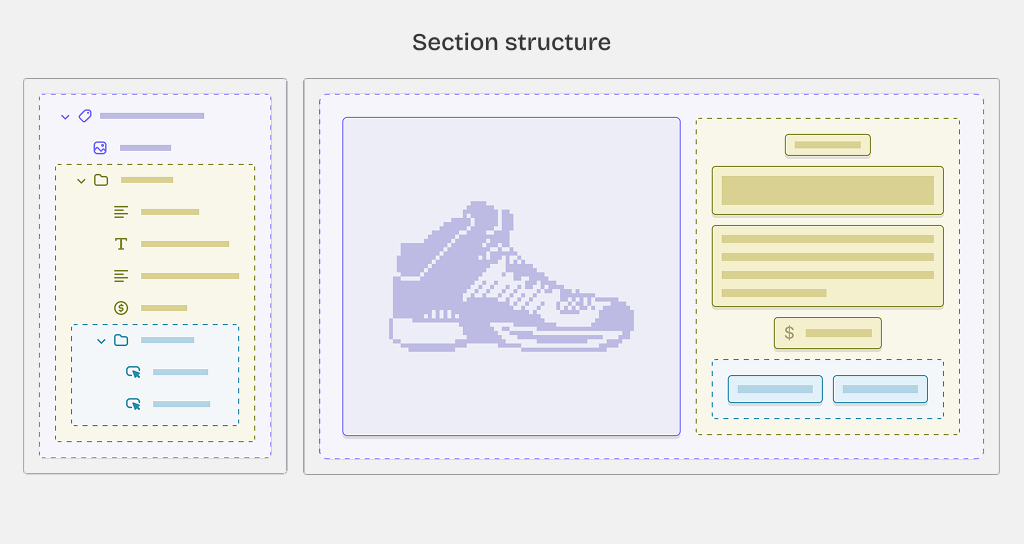
Theme sections are built by combining individual blocks into flexible layouts. These sections can then be saved as presets for easy reuse across multiple pages in your store.
Blocks in this theme are globally available, meaning you can use the same block types in different sections throughout your theme.
Some blocks won't exist outside of certain sections, which are called specified blocks. For example, a Slider block for an Image slider section.
What is the basic structure of a theme's section with blocks.
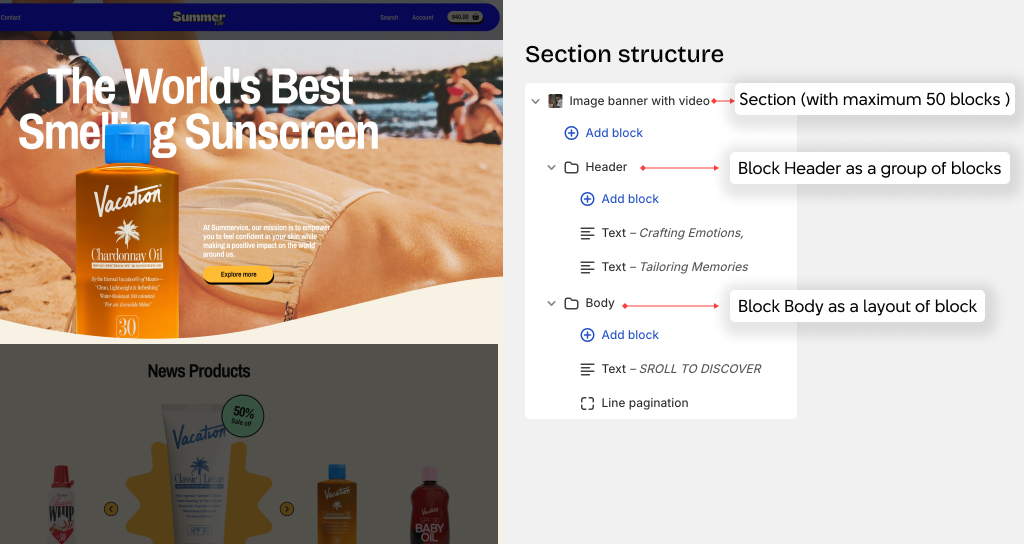
Sections typically organize blocks by using nested blocks with certain layout:
Typically, a section can have these types of block groups
- Header: Usually used for the top part of the section with blocks like Text or Description
- Body: Usually for the middle and bottom part of the section with blocks like Image or Button
- Group: A group of blocks with Horizontal or Vertical layout
- Layout: A group of blocks with Grid, Carousel, or Masonry layout.
A section and have up to 50 blocks, and a block can have up to 8 levels of nested blocks.
Header and Body
Header
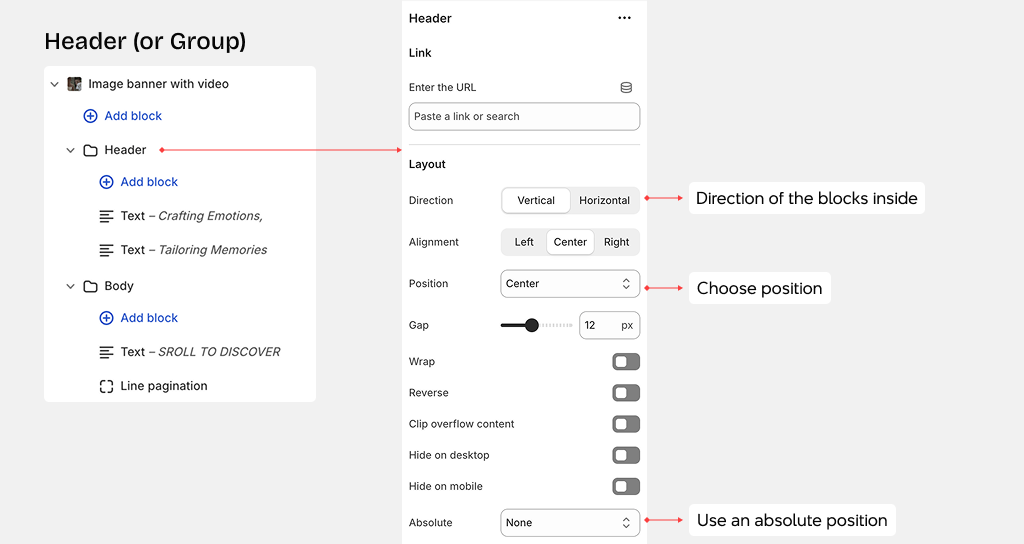
Header block is often used for creating the Header of the section, using the flex Horizontal or Vertical layout
Body
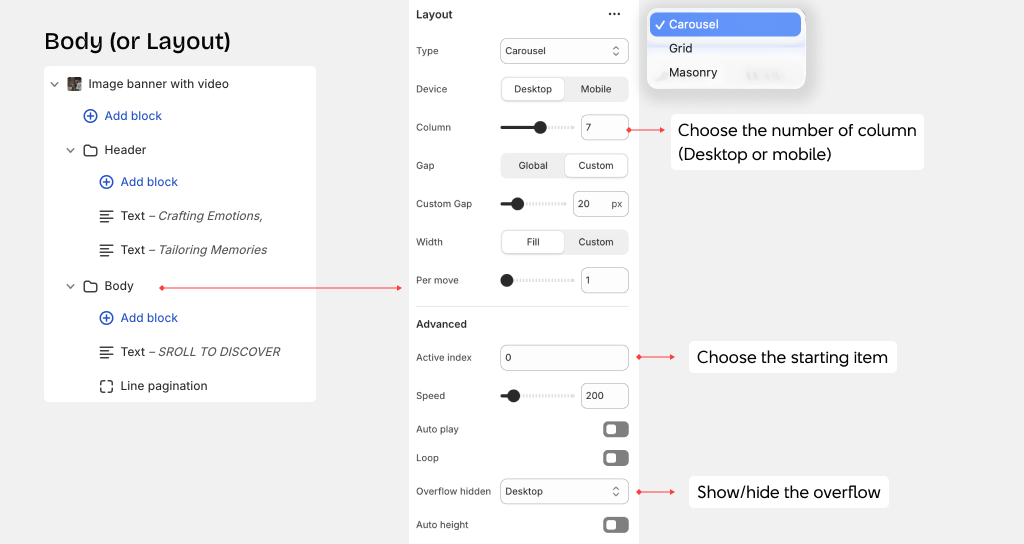
Body block is often used for creating the Body of the section, using the Grid, Carousel, or Masonry layout.
You can only add the Group block as a nested block inside the Body block.